• Welcome to Moodle MENDELU!

    Moodle is an open-source learning platform that provides an online space for effective teaching. It serves as a supporting platform for UIS and is not intended to replace it. At the moment, no integration between Moodle and UIS is planned.

    Moodle allows teachers to create and manage courses that may include various types of learning materials (including interactive ones), such as texts, presentations, videos, quizzes, or discussion forums. Students can then enrol in courses, communicate with teachers and classmates, study course content, and submit their assignments online. Moodle also provides tools for student assessment, progress tracking, and viewing results. However, the final grades must still be entered into UIS.

    Login

    • The term teacher = course owner, subject/training instructor
    • The term student = course participant completing the course

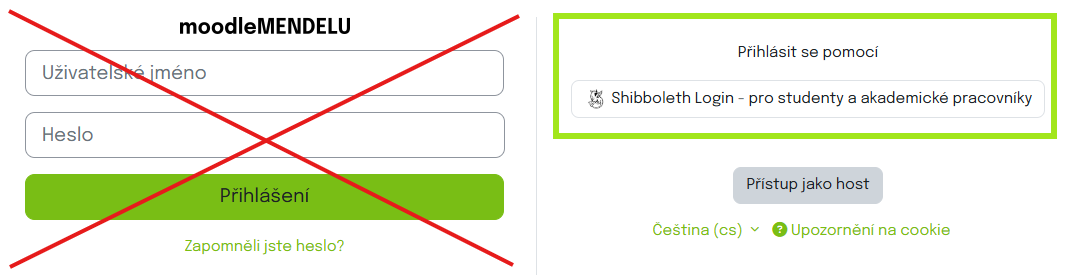
    You can find the login button in the top right corner. Both teachers and students log in via the Shibboleth service (SSO, UIS login credentials). Upon first login, a user account is created automatically.

    The login on the left is only for administrators and external users!

    Guides for using Moodle can be found in the E-learning portal here.

    Here you can find the official Moodle documentation in English!

    We recommend all new users to first go through the Moodle User Guide, where you will be introduced to the new Moodle environment!

Announcements

Nový modul a změny textového editoru

by Veronika Novotná (admin) -

Update textového editoru a modul Upomínky

Dnes proběhl update Atto textového editoru (výchozí editor), kde byly aktualizovány doplňky a přemístěno přepínání celého režimu obrazovky a html zobrazení s méně využívanými ikonami.

prohození ikon html, fullscreen za pomocníka přístupnosti a čtení textu

Druhou novinkou je nový modul pro upomínky. Tento modul doplňuje notifikační systém Moodlu. Upomínky se dají nastavit přímo ve vašem kurzu Další>Upomínky. 
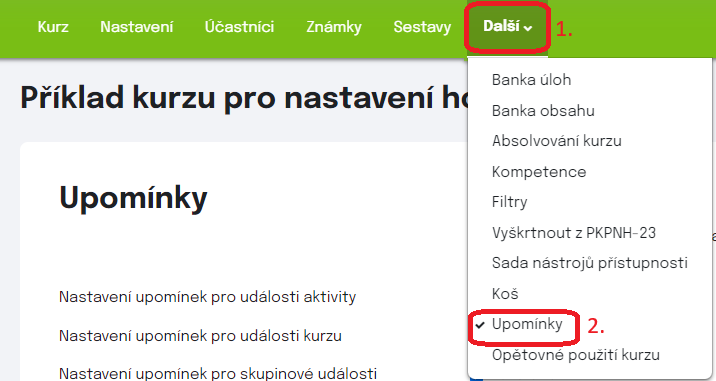
jak se dostat k nastavení upomínek. V kurzu dáte další a poté Upomínky.

V tomto modulu můžete nastavit upomínky na aktivity kurzu nebo kalendářní události kurzu/skupin v kurzu (1.), takže studenti jsou vždy upozorněni předem. Můžete si zde vybrat i četnost notifikací a přímo na jaké nadcházející aktivity studenta upozornit (2.).
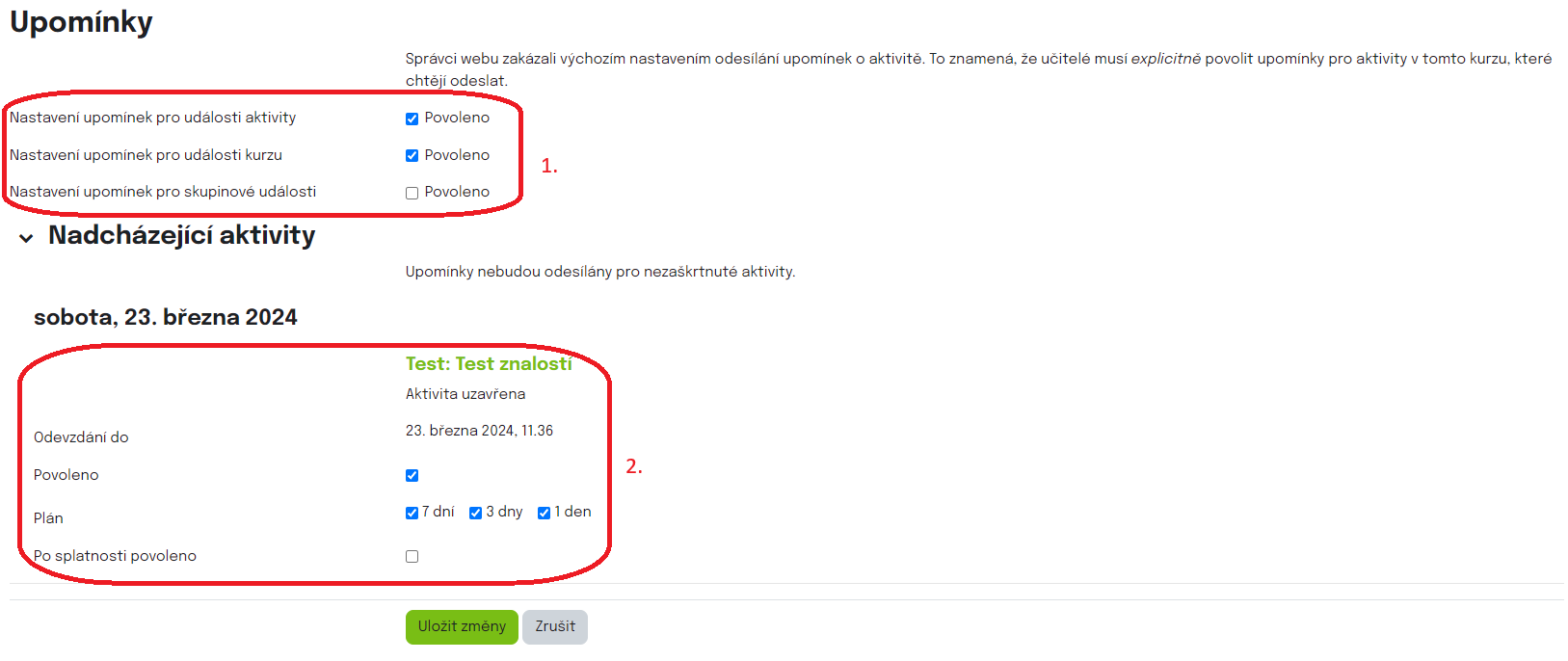
Nastavení upomínek v modulu

Older topics...